
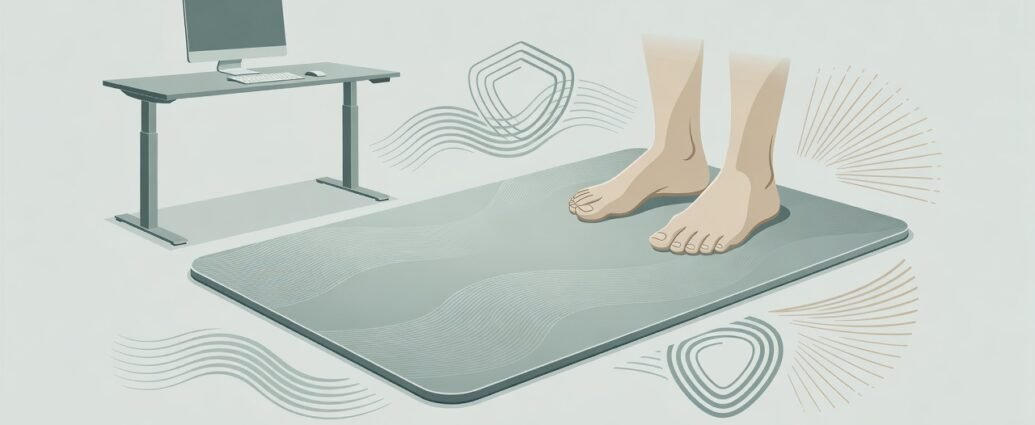
Quick Summary
- A standing desk mat cushions hard floor surfaces and may reduce foot and leg fatigue during prolonged standing, though the comfort benefit is modest rather than curative.
- Occupational health research on ergonomic interventions shows mixed results for short-term pain scores, so the mat is best treated as a comfort aid for hard-floor pressure rather than a pain treatment.
- Key safety features include beveled edges, a non-slip base, medium firmness, and adequate coverage to allow natural weight shifts without stepping off the edge.
- Pairing a mat with supportive footwear, correct desk height, and regular movement breaks delivers more orthopedic benefit than a mat used alone.
- Persistent pain, numbness, progressive leg weakness, or any systemic red-flag symptom requires medical evaluation, not workstation adjustment.
A standing desk mat, also called an anti-fatigue mat, cushions the feet on hard floors such as tile, wood, or concrete and encourages the small postural shifts that reduce pressure during prolonged static standing. Adults who switch to standing work commonly find bare hard floors uncomfortable. Foot ache, lower-back tightness, and knee stiffness are the typical early signs that the floor surface needs addressing.
This guide covers what occupational health research shows about anti-fatigue mat support, which mat features matter most for orthopedic safety, how to pair a mat with footwear and movement breaks, and when persistent pain calls for clinical evaluation rather than another workstation adjustment.
Do Standing Desk Mats Help Back and Leg Comfort?
A standing desk mat reduces perceived fatigue by cushioning the feet on hard floors and encouraging subtle weight shifts. The comfort benefit is real but modest, and the pain evidence needs careful reading.
A mat cushions the feet and may ease discomfort during standing, but it’s not a treatment for existing back, knee, or hip conditions. It offers comfort during standing, not resolution of musculoskeletal pain.
Some systematic reviews on workplace ergonomic interventions suggest these measures may make little to no difference to short-term pain compared with control conditions. A mat is not useless, but expecting it to resolve an established back or joint condition sets an unrealistic goal.
For adults without an underlying condition, a mat often makes a standing workstation noticeably more comfortable through the workday. Those managing chronic low back pain, knee osteoarthritis, plantar heel pain, or hip issues will find a mat useful for hard-floor pressure but shouldn’t use it in place of medical or physiotherapy guidance.
How Prolonged Standing Affects the Back, Hips, Knees, and Feet
Prolonged static standing on hard surfaces causes muscles to fatigue, joints to stiffen, and circulation in the lower limbs to slow. Standing beats sitting all day, but holding still for extended periods carries its own musculoskeletal risks.
The CCOHS ergonomics guidance on sit-stand workstations notes that prolonged standing may contribute to discomfort in the feet, knees, hips, and lower back. It recommends alternating between sitting and standing, shifting weight regularly, and considering a footrest where appropriate, rather than holding one position for long stretches.
For older adults and people with existing joint conditions, the effects of static standing can appear more quickly. Knee osteoarthritis (a gradual wearing of the cartilage between the knee bones) reduces the joint’s ability to absorb impact, and standing on a hard surface without cushioning adds load to already-stressed joints. Hip discomfort and sacroiliac pain tend to worsen the same way, with static posture and poor weight distribution as the main drivers.
Foot conditions like plantar heel pain add another layer of concern. When the arch and heel get no cushioning from the floor, discomfort builds quickly. CDC NIOSH occupational safety guidance supports reducing prolonged static postures as a key measure for preventing workplace musculoskeletal problems. And any tool, including a mat, works better when paired with movement rather than used to justify standing longer without breaks.
Choosing Your Standing Desk Mat: Key Safety Features
The most important standing desk mat safety features are beveled edges, a non-slip base, medium firmness (roughly 0.75 to 1 inch thick), and a coverage area wide enough for natural weight shifts. Construction quality matters as much as cushioning, especially for older adults and people with balance or joint concerns.
Thickness and Firmness
Many practitioners suggest a mat thickness of 0.75 to 1 inch with medium firmness as the best starting point for most users. A mat that’s too thin offers little cushioning benefit on hard floors; one that’s too soft becomes unstable and can place extra strain on the ankles and knees as the body compensates for the uneven surface. People with balance concerns or a history of falls often find a firmer surface more stable and predictable when stepping on and off throughout the day.
Beveled Edges and Non-Slip Base
Raised or curled mat edges are a tripping hazard when stepping off quickly or in dim lighting; gently sloped, beveled perimeter edges reduce the risk of catching a toe. A mat that slides when weight shifts sideways creates a fall risk that outweighs any comfort benefit, so the underside needs to grip hard floors securely through a textured or rubberized surface. This matters most for older adults.
Coverage Area, Chair Compatibility, and Cleanability
A standing desk mat should be wide and long enough to allow small side steps and natural weight shifts without stepping off the edge. If you alternate between sitting and standing at the same workstation, check whether the mat works with chair casters, or position it to one side when seated. Moisture-absorbing surfaces can become slippery and harbor bacteria; choose one that wipes down easily.
Mat Material: Foam, Gel, Rubber, and Cork
The cushioning material affects both comfort and longevity. Closed-cell polyurethane foam is the most common choice: it resists compression over time and wipes clean easily. Gel-top mats add a softer surface layer that some users find comfortable, though the gel layer can degrade faster under heavy daily use. Rubber mats are durable and grip hard floors well, making them a solid option for high-traffic areas, though they tend to be heavier. Cork offers natural cushioning and antimicrobial properties but is less resistant to moisture and can crack if the mat is frequently folded for storage. For everyday office use, a medium-density foam or foam-gel hybrid typically balances comfort, stability, and durability well.
Tip: Before buying, measure your standing area to confirm the mat covers your full natural stance width, with a few extra inches on each side for small weight shifts and brief side steps.
Using a Standing Desk Mat Safely When You Have Joint Pain
A standing desk mat for knee pain, hip pain, or lower back pain reduces hard-floor pressure, but posture, desk height, footwear, and movement habits carry equal or greater weight for orthopedic comfort. It works best as one piece of a broader workstation approach rather than a fix on its own.
Desk Height and Monitor Position
When standing, the work surface should sit at roughly elbow height with shoulders relaxed and arms hanging naturally. A desk that’s too high forces the arms upward and tenses the upper back and neck. One that’s too low encourages a forward lean that overloads the lumbar spine (the lower five vertebrae of the back). The monitor should be at eye level to avoid sustained neck flexion during the working day.
Footwear and Building Up Standing Time Gradually
Supportive footwear with arch support, adequate heel cushioning, and a stable sole adds a layer of comfort that a mat alone can’t provide. The CCOHS ergonomics guidance recommends supportive footwear alongside the mat rather than treating the two as alternatives. Standing barefoot or in flat, unsupportive shoes on even a high-quality mat leaves the foot under-supported at the arch and heel.
People new to standing work, or those returning after a period of pain or reduced activity, benefit from a gradual approach. A common starting point is alternating between sitting and standing every 20 to 30 minutes rather than standing for long stretches from day one. Adjust the schedule based on comfort, and increase standing time over several weeks as the body adapts.
Tip: A simple kitchen timer or a free workstation reminder app can prompt position changes throughout the day. Consistency with short breaks matters more than any single ergonomic product at the workstation.
Standing Desk Mat, Shoes, Insoles, Footrests, and Movement Breaks Compared
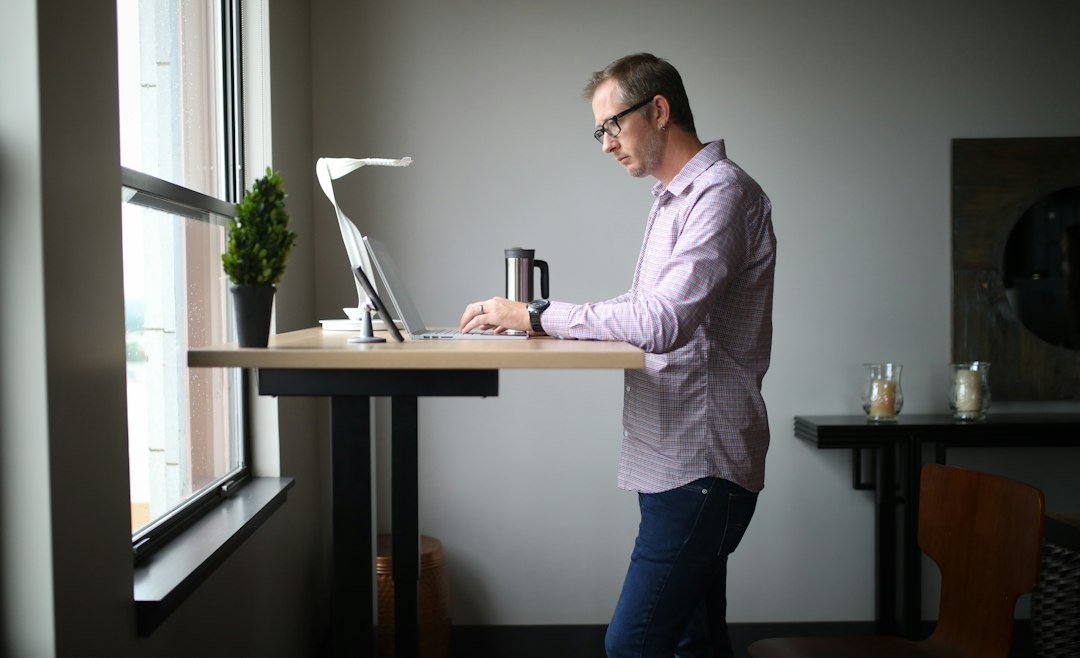
Movement breaks, a mat, supportive footwear, orthopedic insoles, and a footrest each reduce workstation discomfort through a different mechanism; combining them delivers more orthopedic benefit than any single tool alone. The table below outlines the main options side by side.
| Approach | Main Benefit | Key Limitation | Best For |
|---|---|---|---|
| Anti-fatigue mat | Cushions feet on hard floors | Does not treat underlying conditions | Daily workstation use |
| Supportive footwear | Arch and heel support | Less effective in flat or worn shoes | Foot and lower-limb comfort |
| Orthopedic insoles | Targeted arch or heel support | Must fit the shoe properly | Plantar heel pain, flat arches |
| Footrest or foot rail | Encourages natural weight shifting | Requires space under the desk | Hip and knee discomfort |
| Movement breaks | Reduces static loading directly | Requires a consistent daily habit | Everyone, as a priority |
Supportive footwear and orthopedic insoles (semi-custom or over-the-counter pads that fit inside the shoe) address foot mechanics directly by working on the internal structure of the foot rather than the floor surface. They’re the more targeted option for plantar heel pain, flat arches, or high arches, complementing a mat rather than duplicating it.
A footrest or low foot rail placed under the desk allows one foot to rest slightly elevated while the other bears weight, which many users find reduces hip flexor and lower-back loading during long standing sessions. Brief walks of a few minutes, taken throughout the day, address static loading more directly than any passive equipment, including a mat. The OSHA ergonomics guidance supports reducing prolonged static postures as a priority workplace measure.
When a Standing Desk Mat Is Not Enough
A standing desk mat, supportive shoes, and a sensible standing schedule are comfort measures, not substitutes for medical evaluation when pain is significant, worsening, or accompanied by symptoms beyond ordinary muscular fatigue. Knowing when to seek assessment is as important as knowing how to set up a workstation.
The AAOS low back pain guide outlines conservative management approaches for back pain and identifies warning signs that require clinical attention. A standing desk mat is a comfort tool, not a diagnostic or treatment device, and that distinction matters when managing an existing condition.
See a doctor soon if any of the following apply:
- Back, hip, knee, or foot pain that persists or worsens after several weeks of workstation adjustments and reduced standing time.
- Pain that spreads down one or both legs, particularly below the knee, with or without tingling or burning sensations.
- Stiffness or swelling in a joint that does not improve with rest and regular position changes throughout the day.
- New onset of foot numbness or a noticeable change in how the foot feels against the floor.
Seek emergency care if you experience:
- Sudden loss of bladder or bowel control alongside back or leg pain (this may indicate spinal cord or cauda equina involvement and requires immediate assessment).
- Progressive weakness in a leg or foot, making it difficult to lift the foot or stand safely without support.
- Back pain accompanied by fever, unexplained weight loss, or pain that began following significant trauma such as a fall or accident.
- Severe, unrelenting pain that does not ease with any change of position and prevents normal daily activity.
Key Takeaways
- A standing desk mat cushions hard floor surfaces and may reduce foot and leg fatigue during standing, but its comfort benefit is modest and it is not a treatment for diagnosed back or joint conditions.
- The CCOHS ergonomics guidance recommends alternating sitting and standing throughout the workday rather than standing continuously, to protect the feet, knees, hips, and lower back from static strain.
- Choose a mat with beveled edges, a non-slip base, medium firmness, and a coverage area wide enough to allow small side steps and natural weight shifts without stepping off the edge.
- Supportive footwear and regular movement breaks (every 20 to 30 minutes is a common starting point) deliver orthopedic benefit that a mat alone cannot replicate; combining all three approaches gives the best result.
- Build standing time gradually over several weeks, beginning with short alternating sessions, and treat any increase in discomfort as a signal to reduce duration before progressing.
- Persistent pain, numbness, progressive leg weakness, or any systemic red-flag symptom requires medical evaluation and should not be managed by workstation adjustments alone.
Making the Most of Your Standing Workstation
A well-chosen standing desk mat reduces the discomfort of standing on hard floors such as tile or concrete and, with the right safety features, holds up reliably over months of daily use.
A mat is one piece of a movement-based workstation approach, not a standalone fix. Desk height, footwear, a footrest, monitor position, and the habit of changing positions regularly all shape how well the body tolerates prolonged work. Adults who report the best results treat standing as one option to rotate through, not a posture to hold all morning.
If you have an existing condition such as knee osteoarthritis, plantar heel pain, chronic low back pain, or hip arthritis, speak with your doctor or physiotherapist before changing how long you stand at work. They can help you set a schedule that suits your condition and advise on whether additional supports, such as custom insoles or a footrest, would be useful alongside the mat.
Frequently Asked Questions
- Do Standing Desk Mats Help with Back Pain?
- A standing desk mat may reduce foot and leg fatigue from hard-floor pressure, but occupational health reviews of ergonomic measures show mixed results for short-term pain scores. Think of the mat as a comfort aid for hard floors, not a therapy for diagnosed back conditions.
- What Thickness and Firmness Are Best for a Standing Desk Mat?
- A good starting point for most people is a medium-firm mat around 0.75 to 1 inch thick. One that is too soft becomes unstable and adds strain to the ankles and knees. People with balance concerns often find a firmer surface more stable and safer to step on and off.
- Are Standing Desk Mats Helpful for Knee or Leg Pain?
- A mat softens the floor and reduces impact load on the knees, which many users find helpful for leg fatigue. Those with knee osteoarthritis or persistent leg pain should consult a clinician first, since a mat addresses the floor surface rather than the underlying joint condition itself.
- How Should Someone with Back or Joint Pain Start Using a Standing Desk?
- Start by alternating between sitting and standing every 20 to 30 minutes rather than standing for long stretches from the first day. Use a timer as a reminder. If pain increases during or after standing, reduce standing time and review the workstation setup with a healthcare provider before progressing further.
- When Should Standing-Desk Pain Be Evaluated by a Doctor?
- Seek prompt evaluation for numbness or tingling in the legs or feet, progressive weakness in a limb, bowel or bladder changes, fever alongside back pain, or pain following a fall or trauma. Severe pain that does not ease with rest or any position change also warrants clinical review rather than further workstation adjustment.
This article is for informational purposes only and does not replace professional medical advice. Always consult your doctor before starting any treatment.